Reality Check Guide
AI Executive Assistants in 2026: What They Actually Deliver vs What Gets Marketed
The AI executive assistant category is one of the most aggressively marketed corners of the productivity software market. Vendors describe products that handle your entire calendar, triage your inbox, draft your emails, attend your meetings, follow up on action items, and learn your preferences well enough to anticipate your needs. The demos are impressive. The testimonials are carefully selected. The pricing pages imply that hiring a full-time executive assistant is now optional.
Here is what is actually true in 2026: the tools in this category have advanced considerably and several deliver genuine, measurable value - particularly for email triage and reply drafting. But the gap between the marketing narrative and the daily-use reality is still wide enough to cause expensive disappointment if you go in with the wrong expectations. This guide separates what the tools do well from what they have not yet solved.
What you'll learn
- The realistic daily workflow an AI executive assistant enables in 2026
- Marketing claims vs actual performance - A capability-by-capability breakdown
- Which executive roles see the most consistent ROI from these tools
- Privacy risks unique to full-suite AI assistants vs single-purpose tools
- Green and red flags when evaluating vendors - And what to ignore in the demo
The ideal workflow
A day in the life with an AI executive assistant
The following is the workflow that the best AI executive assistant tools are designed to support. It represents what is possible when the tool is well-configured, your integrations are working correctly, and you have spent several weeks training the system on your preferences.
Inbox triage
Meeting prep
Meeting notes
Scheduling
Follow-up drafts
Daily summary
This is the ideal. The actual experience depends heavily on which tool you choose, how well it integrates with your specific email client and calendar, and how consistently you have trained it on your preferences.
The honest comparison
What the marketing says vs what you actually get
The following is based on publicly available claims from AI executive assistant vendors benchmarked against documented user experience and independent testing as of mid-2026.
| Capability | Marketing claim | Reality in 2026 | Verdict |
|---|---|---|---|
| Reply drafting | "Handles all your email" | Generates good draft replies for routine emails. Complex, sensitive, or strategic emails still need full human authorship. Always requires review before sending. | Genuinely useful |
| Inbox triage | "Zero inbox effortlessly" | Accurate priority sorting after 2-3 weeks of training. Some misclassifications persist, especially for new sender types. Meaningful time saving once calibrated. | Works well |
| Meeting notes | "Perfect minutes automatically" | Transcription accuracy is high for clear audio. Action item extraction is good but misses implied commitments and contextual nuance. Requires human review. | Good with caveats |
| Scheduling | "Never coordinate meetings again" | Handles simple one-on-one booking well. Multi-party scheduling with competing constraints, time zones, and travel buffers still causes errors. Human confirmation still needed. | Mixed results |
| Task management | "Tracks everything automatically" | Extracts explicit tasks from emails and meeting notes. Misses verbal commitments and tasks mentioned in passing. Requires consistent use of one tool to be reliable. | Requires discipline |
| Learning your preferences | "Gets smarter every day" | Improves meaningfully over the first 4-6 weeks. After that, improvement is marginal. If you switch tools, you start retraining from scratch - no portable preference model exists yet. | Slow, not persistent |
| Autonomous sending | "Replies without you" | Feature exists in several tools. In practice, autonomous sending without review carries significant relationship and reputational risk. Not recommended for anything beyond auto-acknowledgements. | Use with caution |
Finding the right fit
Who actually benefits from an AI executive assistant
The tools in this category are not equally useful to everyone. The people who get the most value share specific characteristics: high email volume, relationship-driven communication, and limited administrative support. Here are the four profiles where the investment consistently pays off.
C-Suite Executive
Investor / VC
Agency Owner
Solo Consultant
Before you commit
The privacy complexity of a full AI executive assistant
A standard AI email organizer connects to one inbox. A full AI executive assistant typically integrates email, calendar, contacts, meeting transcripts, and sometimes task management. Each of these is a meaningful data source individually. Combined, they create a near-complete picture of your working relationships, business strategy, deal pipeline, and organizational dynamics. The privacy surface area is qualitatively different - not just larger in scale but richer in sensitivity.
Each integration also means a separate data flow with a potentially different retention and usage policy. Your email provider has one policy. Your AI meeting tool has another. Your scheduling tool has a third. When you use an AI executive assistant that stitches these together, you need to understand not just the EA platform's policy but what data it passes to and retains from each integrated service. Read the full breakdown in our AI email safety guide before granting broad access.
Three things to check before connecting any AI executive assistant to your accounts: whether the vendor trains its models on your data and how to opt out; whether data is retained after you cancel and for how long; and whether the vendor has enterprise-grade data processing agreements you can request if you handle client data or work in a regulated sector. If the vendor cannot provide clear answers to all three, consider a more limited tool until their data governance documentation improves.
Evaluating vendors
What to look for (and what to ignore in marketing copy)
These lists are based on the difference between tools that deliver on their core value proposition and tools that rely on impressive demos to obscure shallow integration and poor long-term performance. See our editorial methodology for the full evaluation criteria.
- Explicit opt-out from AI model training on your data - in writing, not buried in terms
- Clear "human in the loop" design - drafts always require your approval before sending
- Transparent correction mechanism so you can actively train the model, not just passively improve it
- A trial period of at least 14 days - no tool should expect you to evaluate it in less time
- References or case studies from users in your specific role or industry, not just "productivity professionals"
- Demo-only access with no self-serve trial - there is usually a reason they don't want you testing independently
- Autonomous sending as a default or heavily promoted feature - this is a trust liability waiting to happen
- Vague data retention language like "we retain data to improve our services" without a specific timeframe or deletion option
- Claims that the tool "understands context like a human assistant" - current AI does not, and vendors who say this are selling hype
- No clear answer on what happens to your data if you cancel - data portability and deletion should be simple and immediate
The bottom line
The honest verdict
The AI executive assistant category in 2026 exists on a wide spectrum. At one end: focused tools that do one thing well (email triage, scheduling, or reply drafting) and have added a thin integration layer to justify the "executive assistant" label. At the other end: genuinely comprehensive platforms that meaningfully integrate email, calendar, and meeting workflows and deliver real daily value for high-volume users. Most tools sit closer to the first end than their marketing implies.
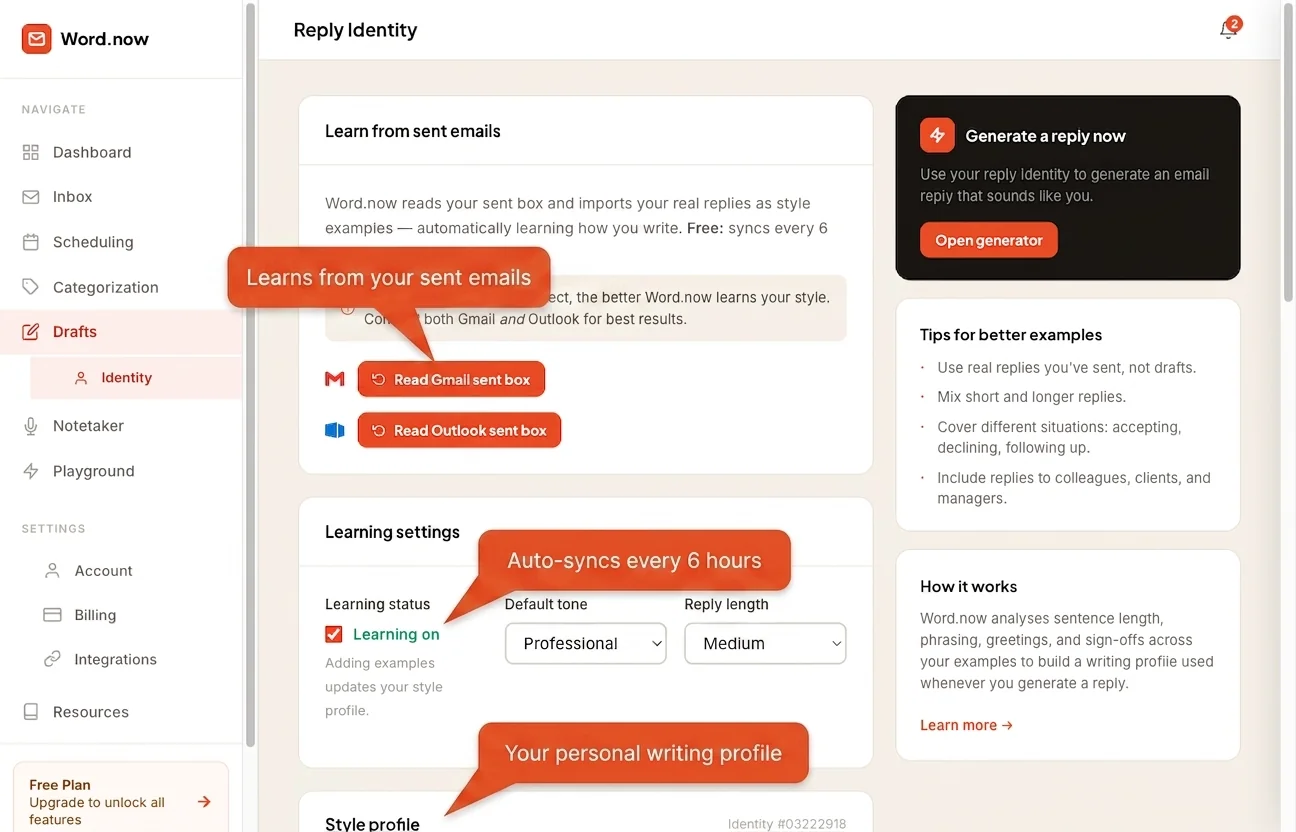
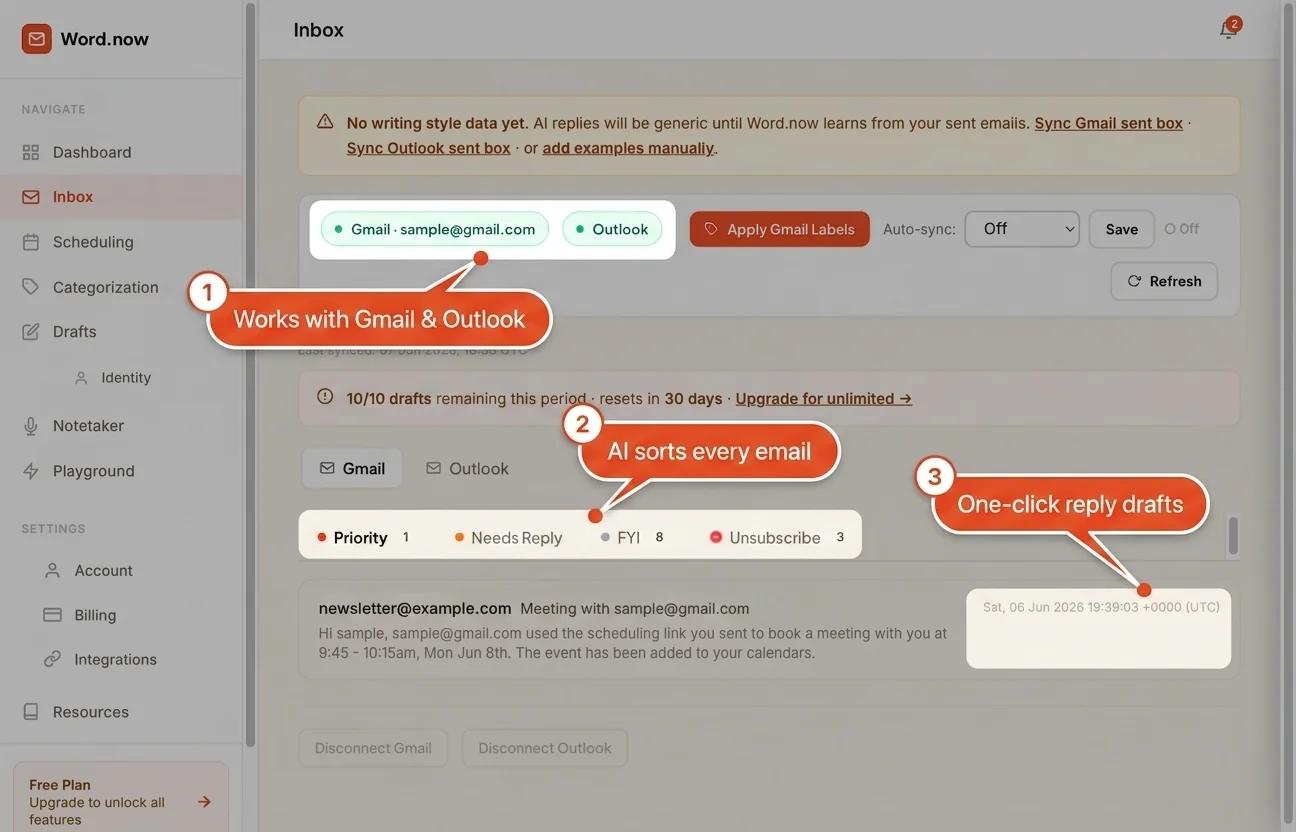
The most reliable approach is to solve one bottleneck at a time. Start with email - it is where the AI category is most mature, most privacy-transparent, and where the time savings are most consistent. Our best AI email assistants comparison covers what to look for and how the tools compare. Word.now connects directly to Gmail or Outlook to triage, label, and draft replies automatically - a good first layer before adding anything else. Once you have a working email workflow, add scheduling or meeting notes as a second layer. Users who try to implement a comprehensive AI executive assistant on day one tend to get overwhelmed by the setup requirements and abandon the tool before it has time to learn their preferences. For a balanced view of what is actually available in this category, the best AI email assistants comparison is a practical starting point. If you want to understand how the underlying technology works before committing, the guide to reply identity explains how tools learn your communication style.
The most important thing an AI executive assistant can do is consistently save you time on the tasks that do not require your judgment - routine replies, meeting confirmation, inbox sorting. When a tool genuinely does that, even imperfectly, it is worth the cost. When it adds complexity and requires babysitting, it is not. Use the marketing-vs-reality table in this guide as your benchmark and test against your specific workflow before signing an annual contract. And for handling the email writing component specifically, you can try the free reply generator before committing to a full platform. See how the tools compare head-to-head in our Word.now vs Fyxer comparison.
Handle the email layer first - It's where AI delivers the most consistent value
Word.now connects to Gmail or Outlook in under 2 minutes, triages your inbox into Priority, Needs Reply, FYI and Unsubscribe, and drafts replies in your voice. No full-suite commitment required - Start with email and add layers as you need them.
Try Word.now free →Frequently Asked Questions About AI Executive Assistants
Start with the email writing problem - it is the most solvable.
The free Word.now reply generator writes clear, professional replies in seconds. No account needed, no inbox access, no training period.