AI Outlook assistant - Email triage,
reply drafts and calendar sync
Word.now connects to Outlook via Microsoft Graph and automatically triages your email, drafts replies in your writing style, and syncs with Outlook Calendar. No Copilot license required.
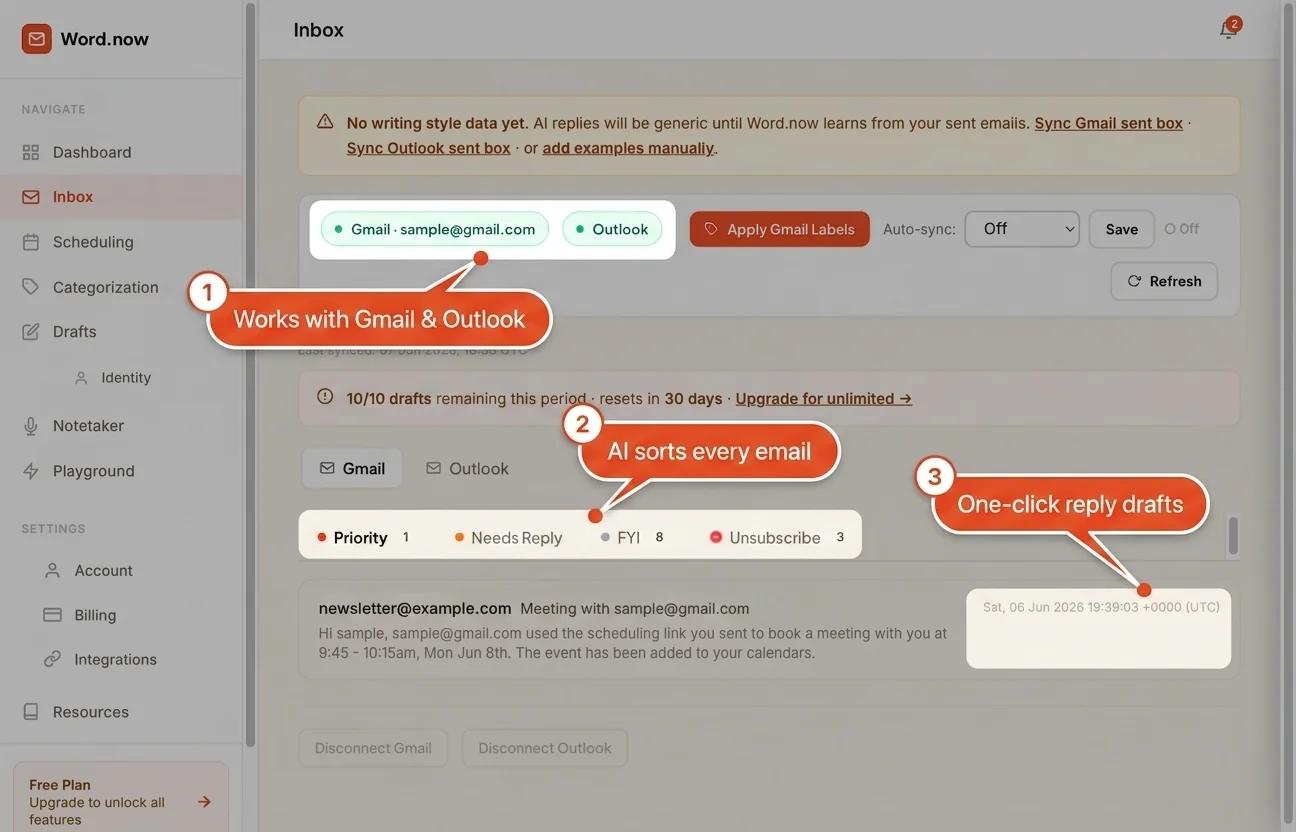
Three things that change how Outlook feels
We sort every Outlook email automatically
Word.now reads each incoming email and applies Outlook color categories - To Respond, FYI, Notification, and Marketing - Directly to your messages in Outlook. Unlike Focused Inbox, which only separates Focused and Other, Word.now gives you four distinct categories across your full inbox so you can see exactly what type of attention each email needs before you open it.
We draft replies that save to Outlook
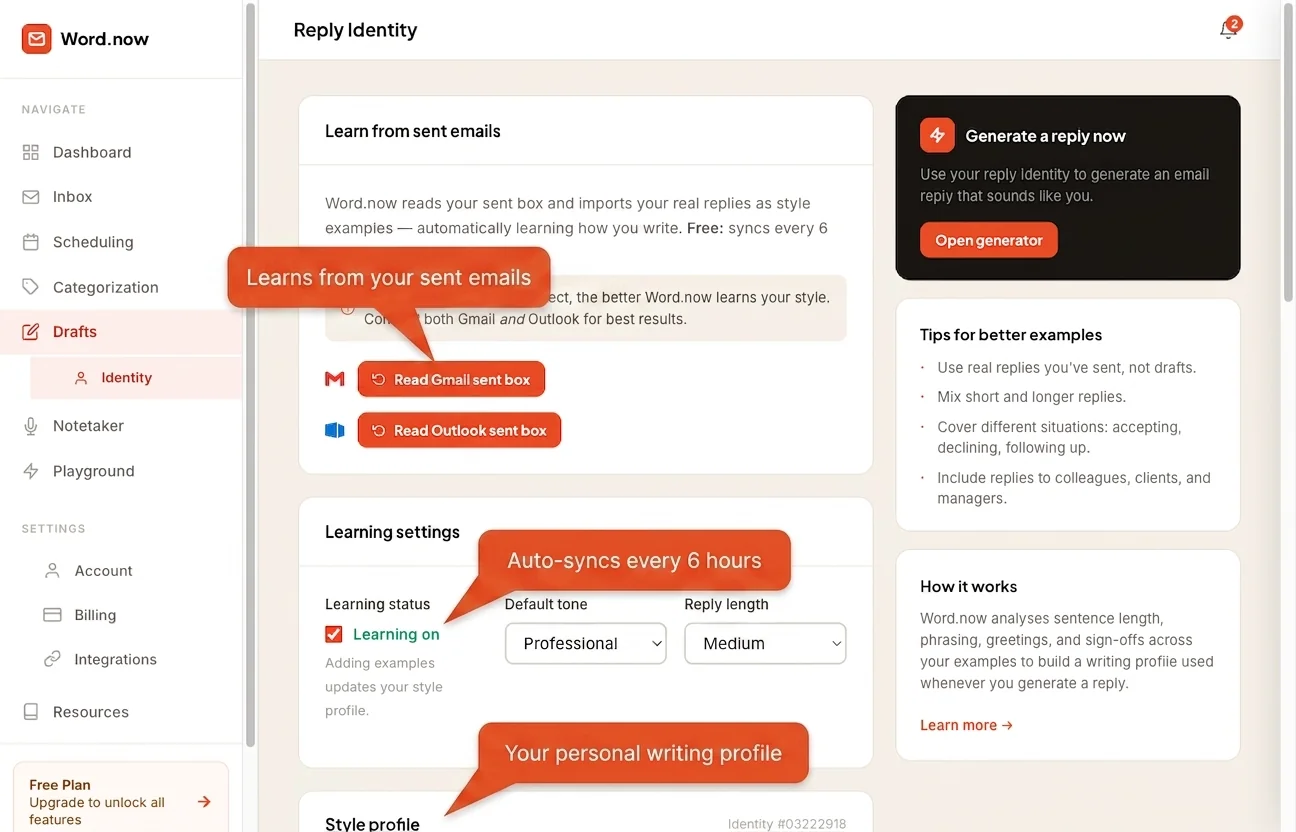
Word.now learns your writing style from your Sent Items, then drafts a reply and saves it directly to your Outlook Drafts folder. Open Outlook, review, and send - The whole flow stays inside the tools you already use. How AI reply drafts work →
We sync with Outlook Calendar
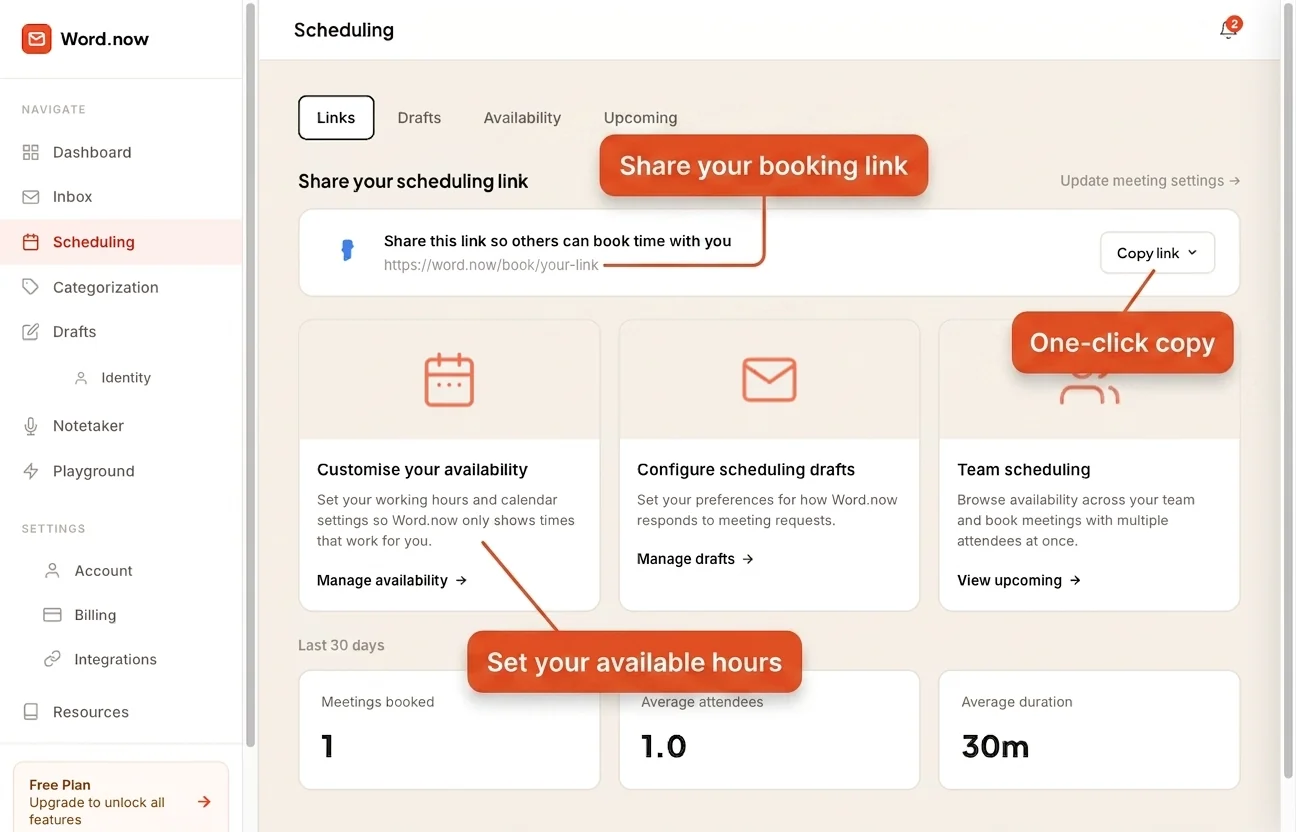
Connect Outlook Calendar and Word.now uses your real availability when drafting scheduling emails. Meetings booked through your Word.now link appear in Outlook automatically - No double entry, no conflicts.
Word.now vs Microsoft Copilot for Outlook
Copilot costs $30/user/month on top of your M365 license. Word.now's free plan gives you the same AI email features for $0.
Up and running in under 2 minutes
No Exchange admin access. No Outlook add-ins. No IT ticket. Just connect via Microsoft OAuth and Word.now starts working.

Connect Outlook
Sign in with Microsoft OAuth. Works with personal Outlook and Microsoft 365 accounts. New to AI in Outlook? Start with our step-by-step Outlook setup guide.
Word.now learns your style
Word.now analyzes your Sent Items folder via Microsoft Graph to build a reply identity - Learning your typical sentence length, formality level, sign-off phrases, and whether you write in first or third person. Microsoft Graph access is read-only and scoped to what is needed for style learning.
Get hours back every week
Your Outlook inbox shows colour-categorised emails and your Drafts folder contains ready-to-review replies. Open Outlook in the morning and the triage and drafting work is already done - Reply to what matters, skip what does not.
The Outlook assistant for:
Whether you're managing a corporate inbox or running your own business, Word.now works the way you do.
Enterprise inbox, without the enterprise price tag.
M365 users live in Outlook all day. Word.now adds AI triage and drafting without requiring a $30/month Copilot seat - And works alongside Focused Inbox rather than replacing it.
- AI categories applied in addition to Focused Inbox
- Drafts appear in Outlook's own Drafts folder - No new app
- No Exchange admin needed - User-level OAuth only
- Works with @company.com M365 accounts
Every prospect reply surfaced. Every follow-up drafted.
Sales teams in Outlook-first organizations need speed and precision. Word.now makes sure hot replies surface immediately and follow-up drafts are ready before you even open the thread.
- Prospect and inbound replies always in To Respond
- CRM notifications and platform alerts sorted separately
- Follow-up drafts written in your exact outreach tone
- Meeting scheduling handled with Outlook Calendar data
Board-level clarity. Nothing skipped.
Executives using Outlook need a system that surfaces what's critical without losing anything. Word.now prioritizes board, investor, and strategic threads - And keeps draft responses at the right register.
- Board and C-suite emails always surfaced first
- Drafts match your formal executive tone
- Scheduling replies include your actual Outlook availability
- Delegation emails drafted to the right person automatically
Approvals visible. Action items clear.
Operations teams in Microsoft-heavy companies deal with a constant mix of approvals, vendor threads, and internal FYIs. Word.now keeps action items at the top and noise at the bottom.
- Approvals and action requests always in To Respond
- Vendor, supplier, and partner threads labeled separately
- Teams notifications and automated alerts sorted as Notification
- Scheduling handled with Outlook Calendar - No back-and-forth
Run your business. Not your inbox.
Small business owners on Outlook don't need enterprise software - They need their inbox handled so they can focus on customers. Word.now gives you the same AI that the big teams pay Copilot for, at a fraction of the cost.
- Client and customer emails always flagged first
- Supplier and service emails sorted automatically
- Professional reply drafts ready in seconds
- Works with personal @outlook.com - No M365 needed
Your Outlook, handled.
Starting now.
Free plan includes AI triage, reply drafts, and Outlook Calendar sync. No Copilot subscription. No Exchange admin needed.
How it works · Compare all plans · Cancel anytime
Outlook assistant questions
Also on Word.now
How Word.now compares