AI Gmail assistant - Automatic triage,
labels and reply drafts
Word.now connects to Gmail and automatically sorts, labels, and drafts replies for every email. Spend less time triaging and more time on work that matters.
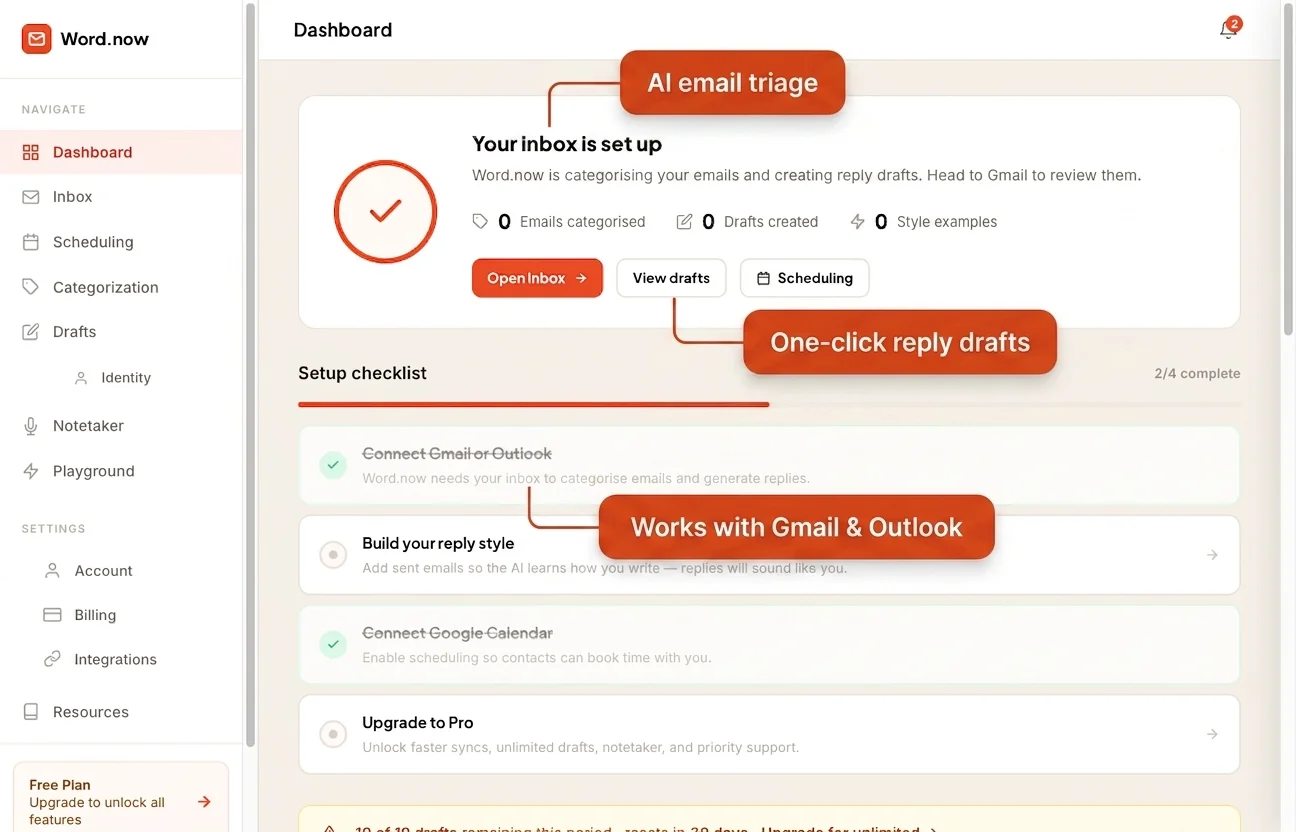
Three things that change how Gmail feels
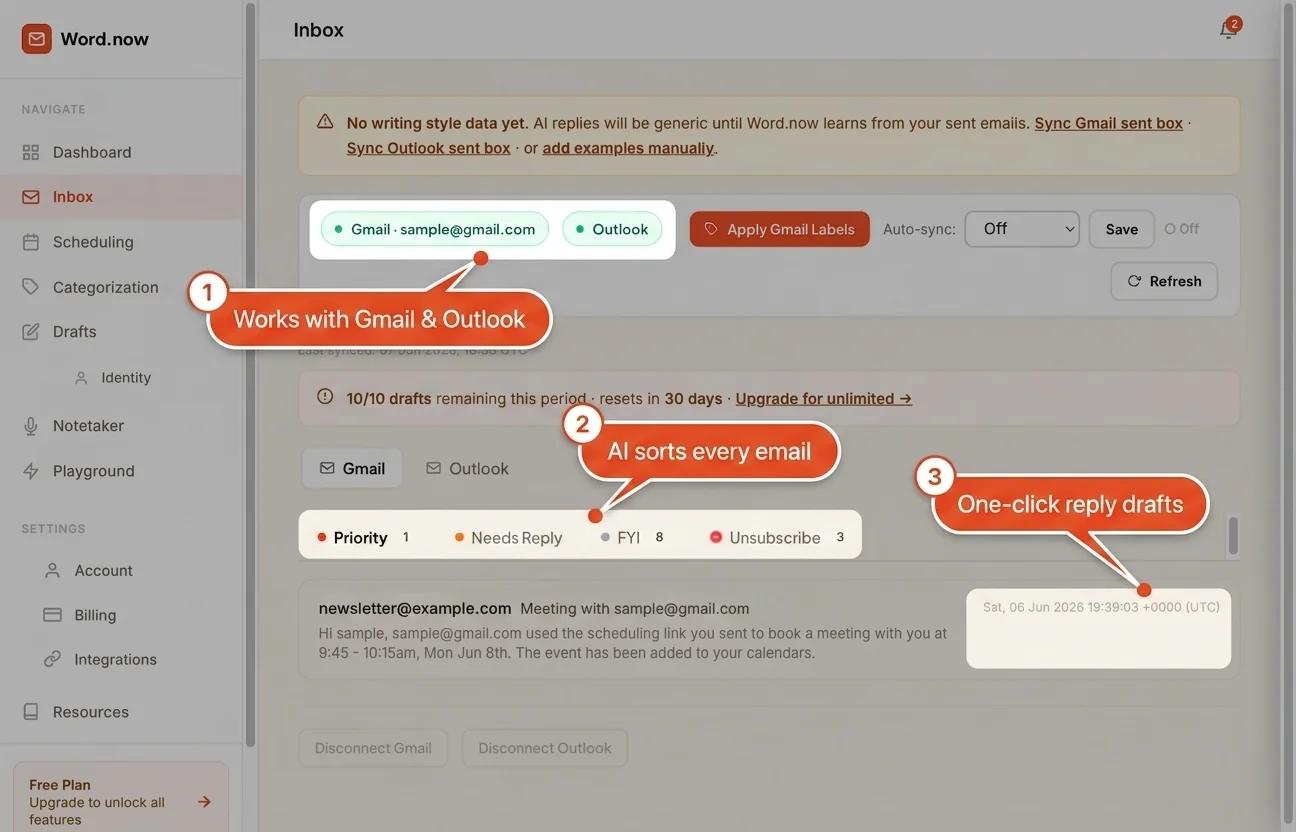
We sort every email automatically
AI reads each incoming email and applies Gmail labels - To Respond, FYI, Notification, Marketing - So your inbox is already triaged when you open it. No rules to write, no folders to maintain.
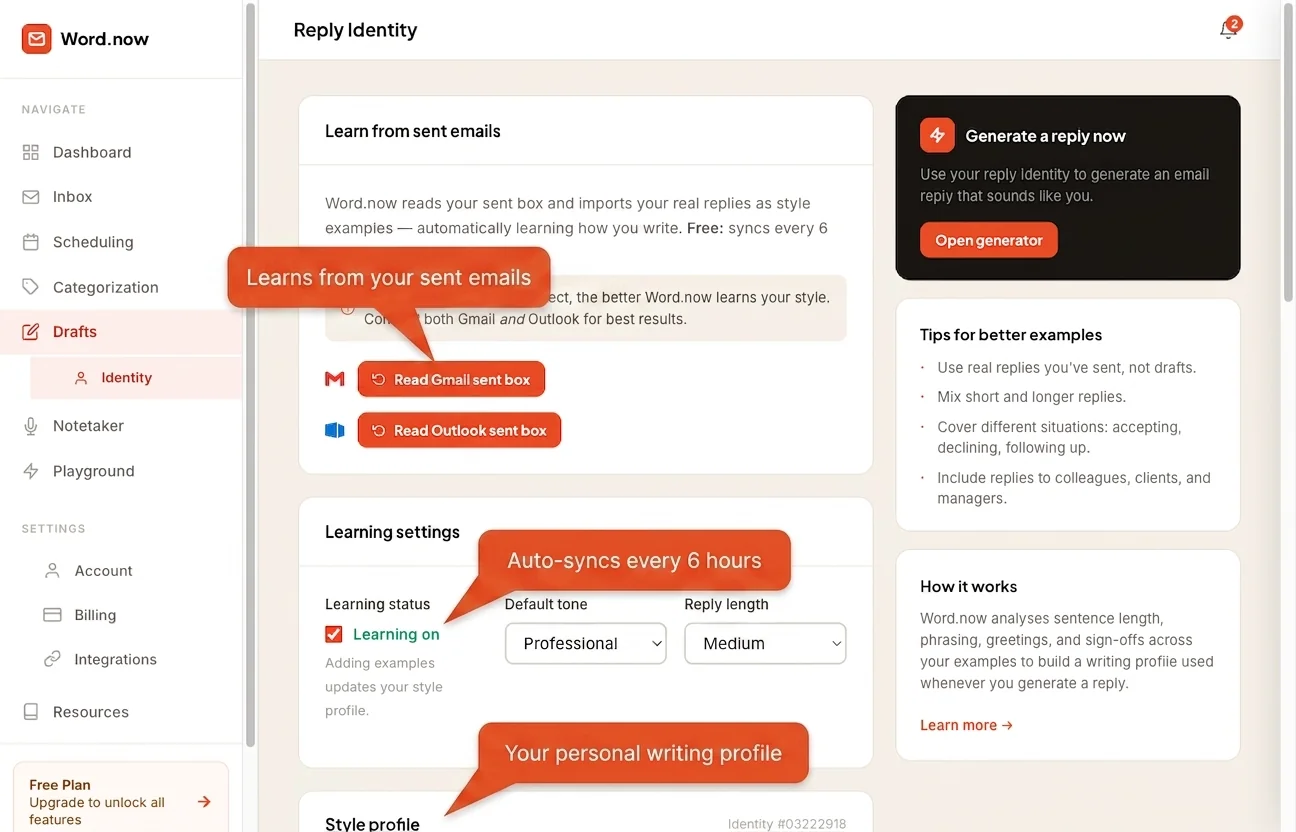
We draft replies that sound like you
Word.now reads your sent emails to build a style profile. Every draft matches your tone, length, and sign-off - Saved to Gmail Drafts ready to send in one click. Writing one yourself? Here is how to write a clear reply email in Gmail. How AI reply drafts work →
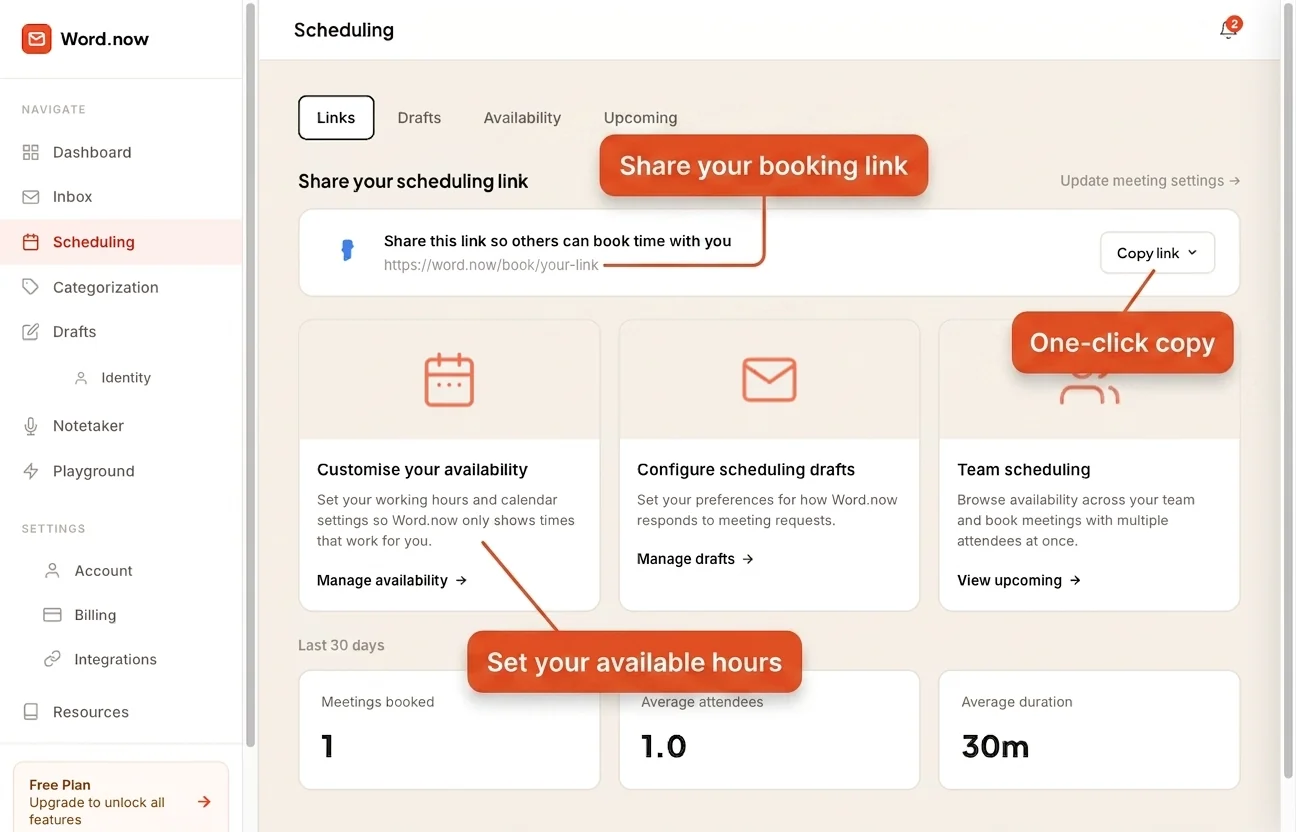
We handle scheduling emails for you
Connect Google Calendar and Word.now uses your real availability when drafting meeting reply emails. It suggests times, handles rescheduling requests, and avoids double-bookings - All from your Gmail.
Up and running in under 2 minutes
No IT setup. No CSV exports. No API keys. Just connect Gmail and Word.now starts working immediately.

Connect Gmail
Sign in with Google and grant read-only inbox access. No password ever stored.
Word.now learns your style
AI reads your sent emails and builds a reply identity - Your tone, formality, and phrasing.
Get hours back every week
Emails sorted, drafts waiting in Gmail - Open your inbox and most of the work is already done.
The Gmail assistant for:
Whether you run a startup or manage enterprise communications, Word.now adapts to how you work.
Zero inbox time. Full context always.
As a founder your inbox is non-stop - Investors, customers, advisors, partners. Word.now separates signal from noise so you only touch emails that actually need you.
- All investor and customer emails flagged as To Respond
- Newsletters and notifications hidden automatically
- Replies drafted in your voice - Review in 10 seconds
- Calendar availability handled in scheduling replies
Respond faster. Close more pipeline.
Speed matters in sales. Word.now surfaces every prospect reply instantly and drafts follow-ups that match your outreach tone - So no hot lead goes cold while you're busy.
- Prospect replies and inbound leads always visible first
- Follow-up drafts ready when an email goes unanswered
- CRM emails, notifications, and alerts kept separate
- Meeting invites handled automatically with availability
Client work done. Admin handled.
Juggling multiple clients means inbox chaos. Word.now groups client threads, drafts professional updates in your exact voice, and keeps the back-and-forth from eating your billable time.
- Client emails separated from platforms, tools, and spam
- Professional reply drafts ready for every client message
- Invoice and proposal follow-ups flagged to send
- Onboarding and status update emails drafted for you
Coordination without the clutter.
Operations lives in email. Word.now makes sure action items, approvals, and vendor threads rise to the top - While status updates and FYIs stay out of your way.
- Approvals and action items flagged as To Respond
- Vendor and supplier threads labeled and grouped
- Internal CC threads sorted as FYI - Never urgent
- Scheduling requests handled with real calendar data
Strategic focus. Nothing slips through.
Executives receive high-stakes email all day. Word.now ensures board communications, key customer contacts, and exec-level threads are always visible - And draft responses maintain the right authority and tone.
- Board, investor, and C-suite emails always surfaced first
- Drafts match your executive communication register
- Scheduling handled - No back-and-forth on availability
- Delegation pattern: route threads to the right team member
Your Gmail, handled.
Starting now.
Free plan includes AI inbox sorting and reply drafts for every email. No credit card. No IT setup. Cancel anytime.
How it works · Compare all plans · Cancel anytime
Gmail assistant questions
Also on Word.now
How Word.now compares